Google has introduced a new Annotations Feature inside Search Console. This update gives SEO marketers something they have wanted for a long time: clear context behind performance changes. The Annotations Feature helps you understand why impressions rise, why clicks fall or why traffic behaves in unexpected ways. With so many updates, AI changes and ranking shifts happening, clean data is essential. That is why this feature matters for modern SEO.
If you rely on Search Console for performance reporting, you will find this feature especially useful. It simplifies daily analysis, supports long term tracking and helps you connect SEO actions with performance changes. This article explains everything you need to know in a simple and practical way.
What Is the Google Search Console Annotations Feature
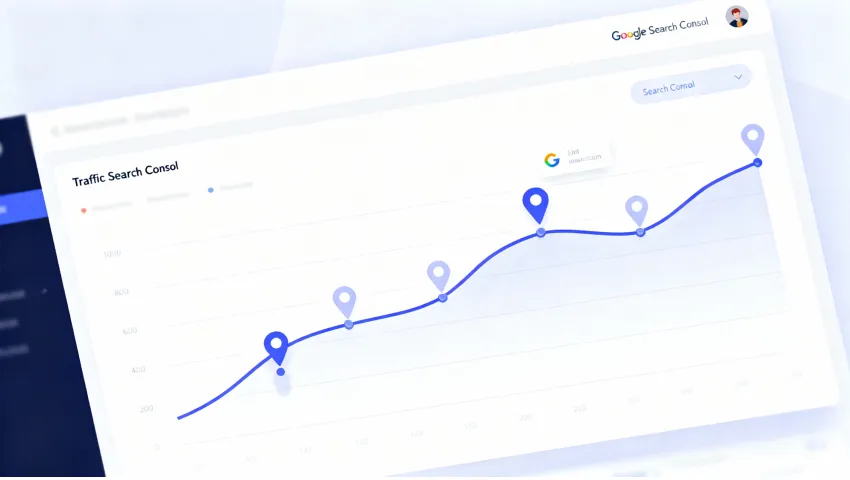
The Annotations Feature is a new option inside Search Console that shows events directly on your performance charts. These events appear as small markers on the timeline. When you click them, you see information about updates, reporting changes or issues that may affect your data.
It gives context. Before this update, marketers had to cross-check algorithm updates, news articles and external tools to understand traffic shifts. Now, Search Console shows many of these events automatically. This makes it easier to interpret what is happening. The Annotations Feature helps you avoid wrong conclusions and build more reliable reports.
Why Google Introduced the Annotations Feature
Marketers often had questions like:
- Why did my traffic drop on this date
- Why did impressions rise suddenly
- Was there an update
- Is Search Console reporting correctly
Without context, it was easy to misread the data. A sudden drop did not always mean an SEO problem. It could be a reporting fix or a temporary delay. Google introduced the Annotations Feature to add clarity. It supports transparency and helps users understand what affects their performance.
It also reflects how search is changing. With AI Mode, AI Overviews and new ranking systems, more events impact search visibility. Marketers need a clearer way to track those events. The Annotations Feature solves this by placing important signals right inside the performance timeline.
Where the Annotations Feature Appears in Search Console
You can find the Annotations Feature inside the Performance section. When you open the graph, you may see small icons along the timeline. These icons represent annotations. When you click one, a pop-up appears with a short summary of the event.
Some events are global. Some are property specific. Some may be related to updates. This makes it easy to check why your performance changed on a particular day. You do not need to leave Search Console or open external tools.
Types of Events Shown in Annotations
The Annotations Feature covers several event categories. These may include:
- Search Console updates
- Google algorithm updates
- New filters added to Search Console
- Reporting changes or fixes
- Data delays
- Indexing or crawling issues
- Feature rollouts
- System improvements
Each event helps you interpret your performance correctly. You can see what happened and compare it with your graph. This reduces confusion and helps you focus on real SEO work instead of guessing.
How the Annotations Feature Helps SEO Marketers
SEO analysis is easier when you know why something changed. The Annotations Feature gives this clarity. It helps you connect performance trends with events. You can pinpoint the cause of a traffic spike or drop. This helps you save time and avoid incorrect assumptions.
It also improves communication. When sharing reports with clients or teams, you can show annotations and explain the context instantly. This builds trust and makes your analysis more professional. The Annotations Feature becomes a simple but powerful storytelling tool for data.
Table: Event Types and What They Mean
| Event Type | Meaning | Why It Matters |
| Algorithm Update | Google adjusted ranking systems | Helps track ranking impact |
| Reporting Change | Data processing altered | Prevents misreading performance |
| Feature Update | New filter or tool added | Improves analysis accuracy |
| Bug or Delay | Data temporarily affected | Avoids wrong conclusions |
| Crawling or Indexing Info | Google updated indexing behaviour | Supports technical SEO planning |
This table helps you interpret annotations faster. When you see a specific event on your chart, you can match it with the category and understand what it means.
How Annotations Improve Search Analysis
Annotations remove uncertainty. Instead of guessing whether a change is due to your content or an update, you know exactly what happened. This helps you analyse patterns more clearly and focus on improvement opportunities.
Annotations also help you see long term trends. When you look at reports over months, you can identify which updates affected your site. This is valuable for planning and strategy.
How To Use the Annotations Feature for SEO Insights
Using the feature is simple. When you see a performance change, check if an annotation appears on the same date. If there is an event, read the description. Then compare metrics before and after that date.
You can learn whether a spike is due to an update or your own work. You can also learn if a drop is temporary. The Annotations Feature helps you make smarter decisions and avoid reacting too quickly to normal fluctuations.
How It Helps Track Algorithm Updates
Algorithm updates often cause major shifts in traffic. Before the Annotations Feature, marketers had to search for update timelines manually. Now, Google may add these events automatically.
This makes tracking ranking changes much easier. You can quickly see if your website was affected. You can also record your actions around that time and see what helped or hurt performance. This gives you a clearer understanding of how updates impact your niche.
How AI Mode and AI Overviews Influence Data Interpretation
AI Mode and AI Overviews are changing how people interact with search. Many users now get answers directly from AI, without clicking any pages. This can reduce impressions or clicks for some queries. It does not always mean your ranking dropped.
The Annotations Feature can help you identify when AI related updates rolled out. If you see a drop after an AI related annotation, you can interpret the change correctly. This helps you adjust your content for AI presence and SERP visibility.
AI Mode may also affect brand searches, informational queries or comparison keywords. Understanding when AI changes were introduced helps you explain shifts in your data.
Difference Between Manual Notes and Auto Annotations
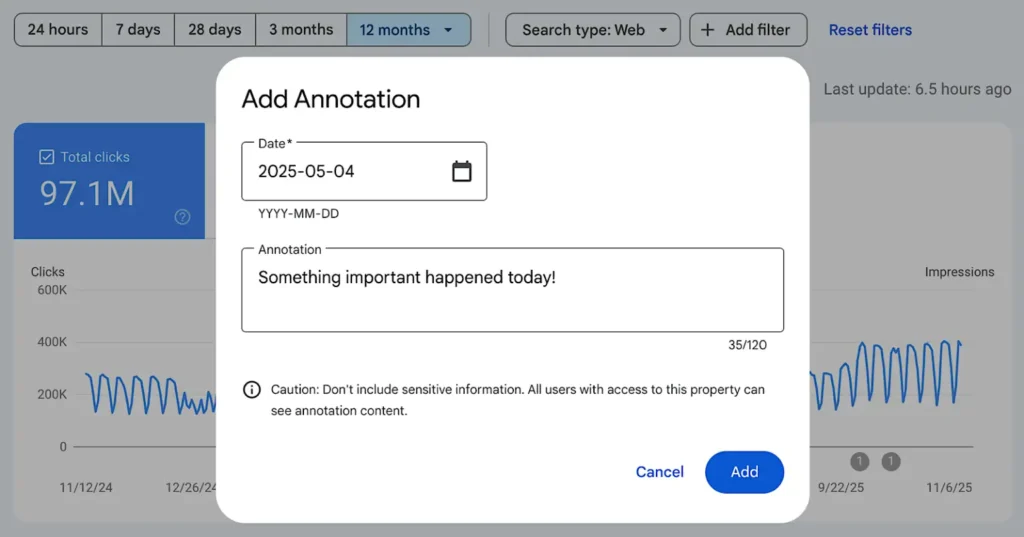
Annotations come in two forms. Google adds automatic annotations when there is a system event. You can also add manual notes to track your own updates.
Manual notes are helpful when you:
Publish new content
Update old content
Fix major technical issues
Migrate pages
Change internal linking
Launch campaigns
Adding manual annotations helps you compare your actions with performance changes. It shows what worked and what did not.
How To Add Custom Notes for SEO Tracking
Adding a custom annotation is simple. Inside the performance chart, you can add a note for any date. Write what changed and why. Keep notes clear and short. Include the purpose, the affected pages and the time of update.
This creates a clean timeline of your SEO work. You can compare results over weeks or months and see which updates improved performance.
Best Practices for Using Annotations in Reporting
Use annotations regularly. Add notes for major updates, page changes or optimisation tasks. When creating reports, include screenshots of annotated charts. This provides context and helps clients understand your work.
Compare annotated events with impressions, clicks, CTR and position. Use the information to explain trends. This builds confidence in your strategy and improves decision making.
How the Annotations Feature Affects Decision-Making
Annotations give you a clearer picture of what is happening. When you know the reason behind a shift, you make better decisions. If a drop is due to a reporting issue, you can ignore it. If it is due to an algorithm update, you can investigate deeper.
Annotations also help teams stay aligned. Everyone sees the same timeline. This prevents confusion and improves collaboration.
Future of Search Console with Better Tracking Tools
The Annotations Feature is likely the start of deeper tracking improvements. Google may expand it with more categories, more AI related notes and more detailed system updates.
We may also see AI Mode insights inside Search Console. As search becomes more AI driven, annotations will play a bigger role in interpreting data. Marketers will rely on them to understand visibility changes and user behaviour shifts.
Conclusion
The Annotations Feature in Google Search Console is a major improvement for SEO marketers. It helps you understand performance trends, interpret updates and make smarter decisions. It removes guesswork and adds clarity to your reports. With AI Mode and other changes affecting search visibility, having clear context is more important than ever. Use annotations often. Add your own notes. Compare events with performance. This simple feature can improve your entire SEO workflow.